 Bible Anywhere
For Mac, iPhone and iPad
Bible verses,
wherever you write.
Press ⌃⌥B in Pages, Word, Obsidian or an email, type “John 3:16; Rom 8:28” and press Return. The verses are copied with their references, ready to paste.
Download on the App StoreReading, search, two translations, highlights, notes and read aloud are free. On the Mac, copying from Quick Find is part of Pro; on iPhone and iPad, Pro removes the ads.
macOS 14 or later · iOS and iPadOS 17 or later · Korean and English


Three ways it saves you time
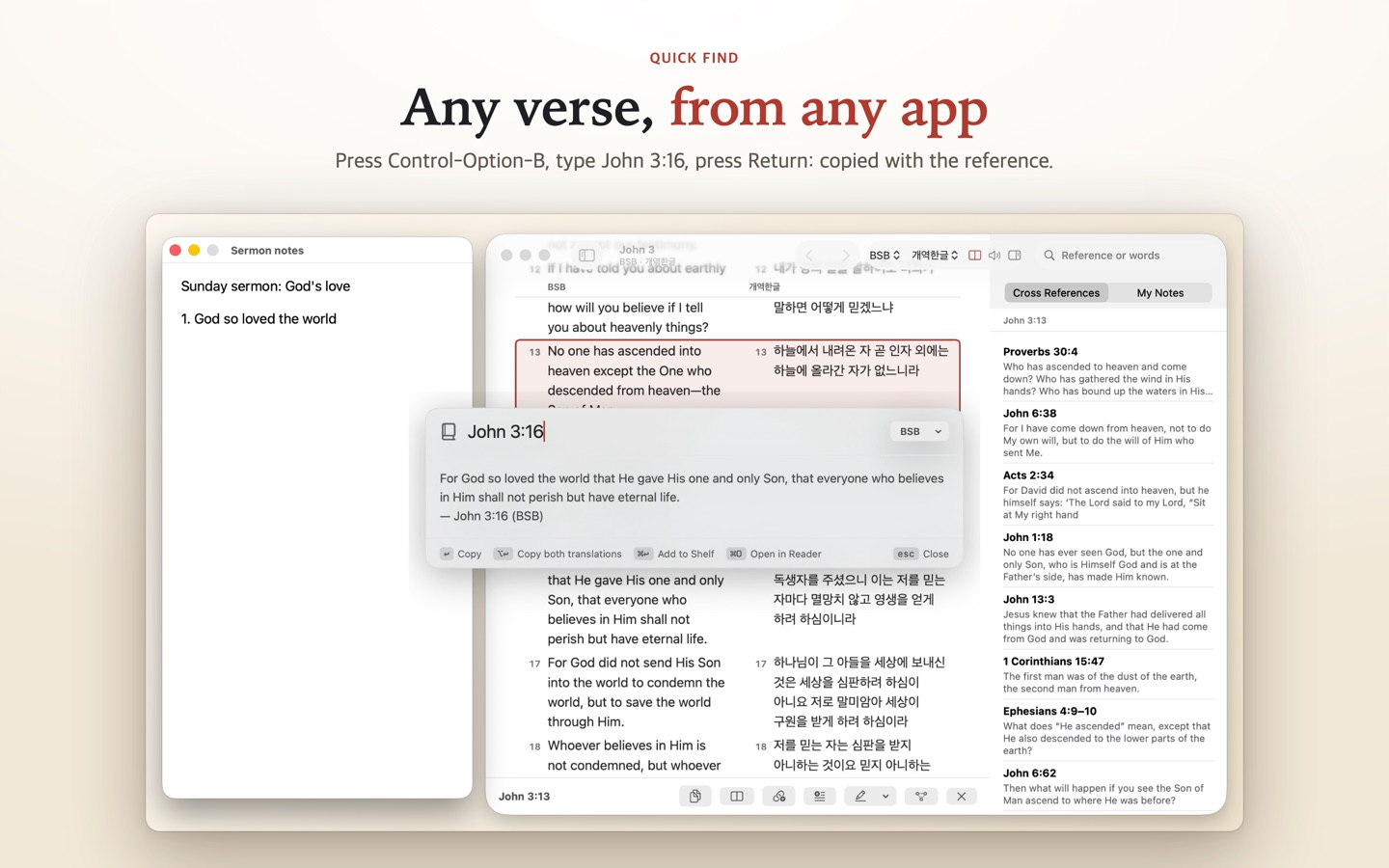
Quick Find, from any app
Type one reference or several (“Ps 23; 1 Cor 13:4-7”), or a few words. Return copies them in the style you chose.
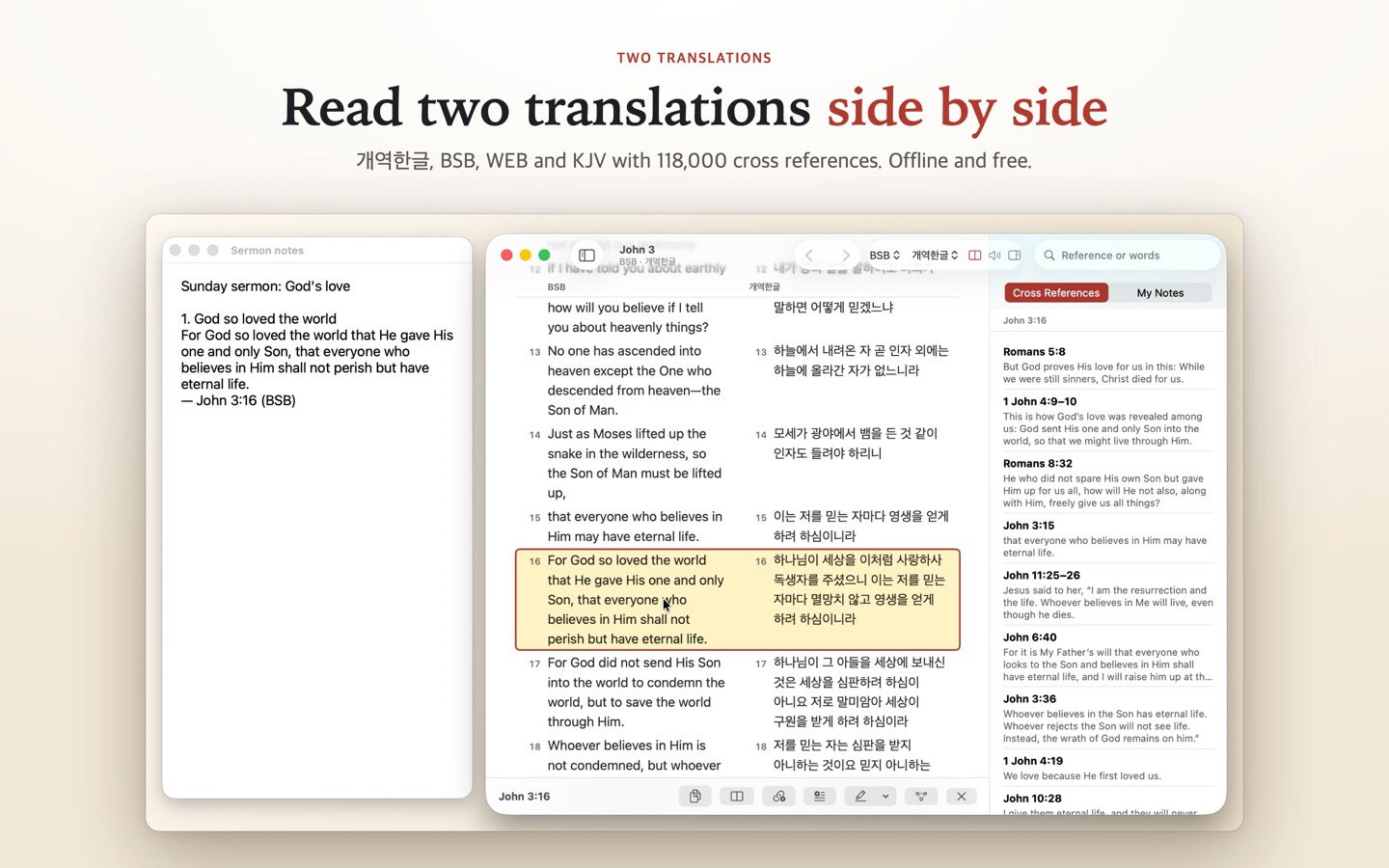
A calm reader, two translations
Read two translations side by side, open cross references next to the text, and come back to the verse you left.
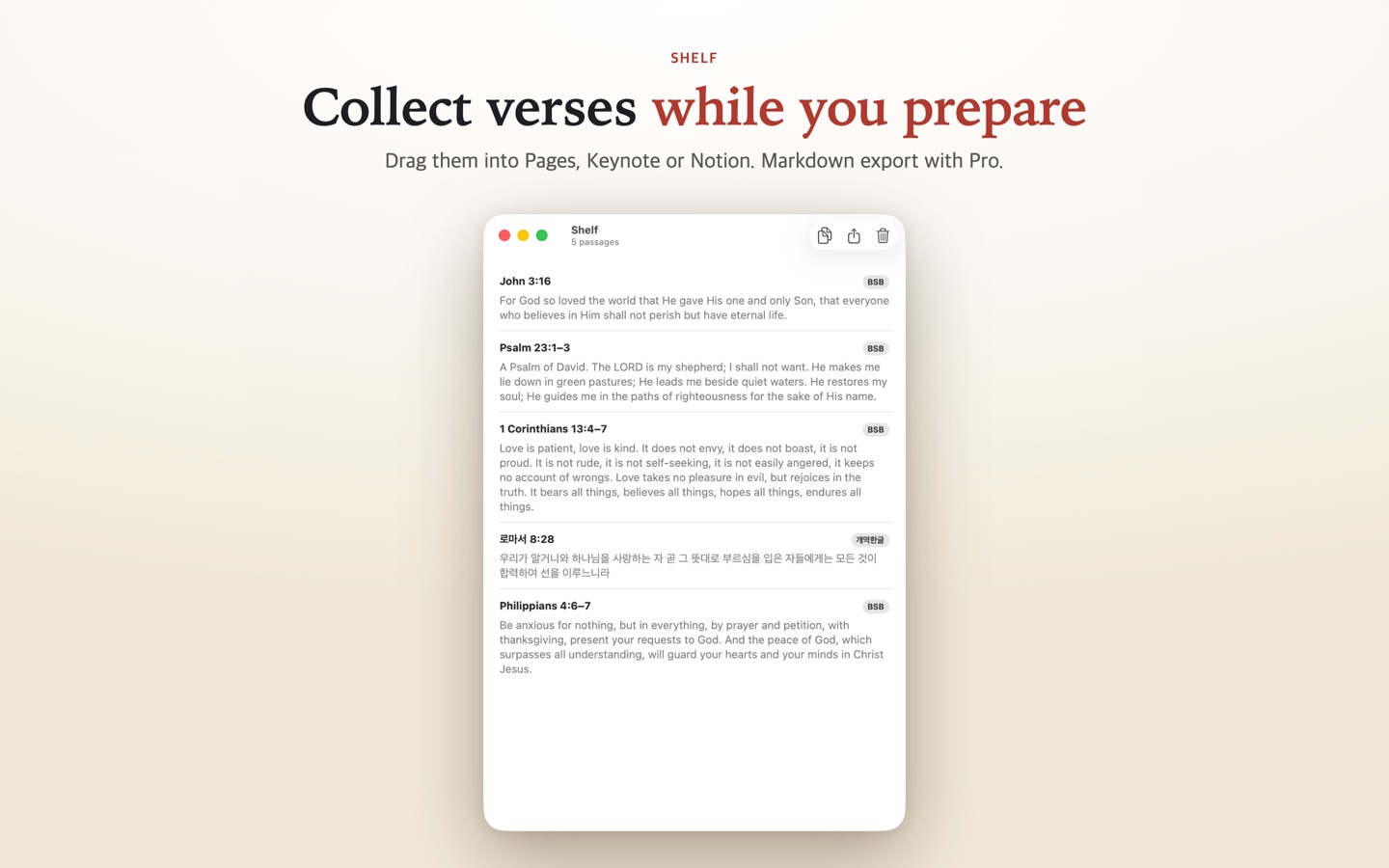
Collect while you prepare
Gather verses for a sermon, lesson or study on the shelf, drag a card into your document, or copy them all at once.
Made for people who write with Scripture
Copy the way you write
Reference after or before the text, a Markdown quote, an Obsidian callout, the reference in parentheses, or one verse per line for slides.
Highlights, notes, bookmarks
Five highlight colours, a note on any verse, bookmarks for the places you return to. Notes belong to the verse, so they show in every translation.
Read aloud
The chapter read with the voices built into your device, offline, with the verse being read marked and followed. It goes on into the next chapter.
Notes and manuscripts
Copy Link reopens the passage from Notes, Pages or Obsidian. Select a sermon outline and the Services menu puts each line's verses right under it.
Cross references
118,000 links from OpenBible.info. Select a verse to see related passages, preview them and jump with one tap.
Sepia, Dark and Myeongjo
Reading themes for long sessions and a Myeongjo or old-style serif face, with every text size you need.
Keyboard first on the Mac
⌘F to search, ↑↓ to move between verses, ←→ to change chapters, ⌘L to go to a reference. Every command is in the menu.
Private and offline
No account to create. Every text is on your device and works without a connection; your marks sync only through your own iCloud, where the developer cannot see them.
On iPhone and iPad too
The same texts, search, cross references, highlights and notes. Tap verses to copy, share or mark them; on iPad the two translations sit side by side. Free on iPhone and iPad with a small banner below the text; Pro removes it.
Highlights, notes and bookmarks sync between your Mac, iPhone and iPad through your own iCloud. You can turn it off in Settings.


Free to read. Pay once for the tools.
Free
Mac with no ads · iPhone and iPad with a small banner
- Reading and full-text search
- Two translations side by side
- Cross references
- Highlights, notes and bookmarks
- Read aloud, themes, copying from the reader, verse links
Bible Anywhere Pro
US$4.99 once · no subscription
- Mac: copying from Quick Find in any app
- Mac: Services menu to insert verses where you write, Markdown export
- iPhone and iPad: no ads
- One purchase works on Mac, iPhone and iPad
No paywall at launch. The Pro window always has Close and Restore Purchases.
Included texts
- 개역한글 (Korean Revised Version, 1961)
- Berean Standard Bible (BSB)
- World English Bible (WEB)
- King James Version (KJV)
All four are in the public domain. Copyrighted translations such as NIV, ESV, NASB, 개역개정 and 새번역 need a publisher's license and are not included.
Your notes stay yours
There is no account of ours. Your highlights, notes and bookmarks stay on your devices and, if you keep iCloud sync on, in your own private iCloud, which only your Apple Account can read; the developer never sees them. The Mac app has no ads and no tracking. On iPhone and iPad a Google AdMob banner pays for the free version, without asking to track you; Pro removes it.